
EMPLOYEE PASSPORT / DOCUMENT SIGN-OFF & STORAGE
Give employees and managers a clearer place to find documents, check what needs signing and keep the records that matter. Spend less time chasing attachments and more time moving the work forward.

Keep the documents relating to an individual together in their employee document area.
Give your team a shared place for company documents and the templates they need.
Help employees find documents awaiting their signature and keep the sign-off process moving.
The EPL Hub separates personal documents, company documents and company templates. That gives people a clear starting point when they need to find a record, use a template or check a document awaiting their signature.
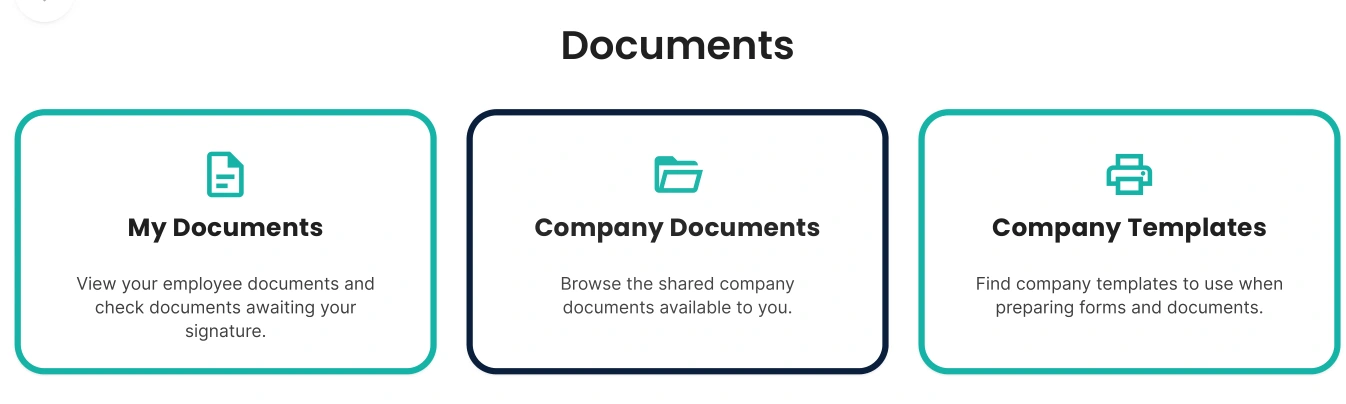
Actual EPL Hub screen. Book a demo to explore the tools for your process.
Agree how employee documents, shared files and templates should be arranged.
Give people the relevant documents through the agreed access and sign-off process.
Review what needs attention and keep the supporting records together.
Software gives the document a home. Our HR and Health & Safety team can help with the practical content and the situation behind it, from employment policies to workplace procedures.
Yes. The employee document area provides access to their documents and those awaiting their signature.
Yes. Company Templates is a separate area alongside My Documents and Company Documents.
We will explain the available access settings and agree the appropriate setup for your employee and company documents.
Tell us what you currently hold and in which formats. We will confirm the practical setup and transfer arrangements in your proposal.
For wider workplace context, read ICO guidance on keeping employment records. Bring questions about your own process to the demo so we can show the relevant Hub tools.
Book a free walkthrough and bring the workplace process you want to make simpler.
We use essential cookies to keep this website working. With your permission, we also use Google Analytics to understand website use and Google Ads to measure advertising responses. Choose Accept all, Reject optional, or View preferences. You can change your choice at any time using Cookie settings.